Analog-Modeled Drums
Five voices built from oscillators and noise — 808/909-hybrid kick with self-FM, three-layer snare, six-oscillator metallic hi-hat, sample-based crash, and toms for fills.
A drum synthesizer with five analog-modeled voices, built-in parallel compression and saturation, and a personality of its own.
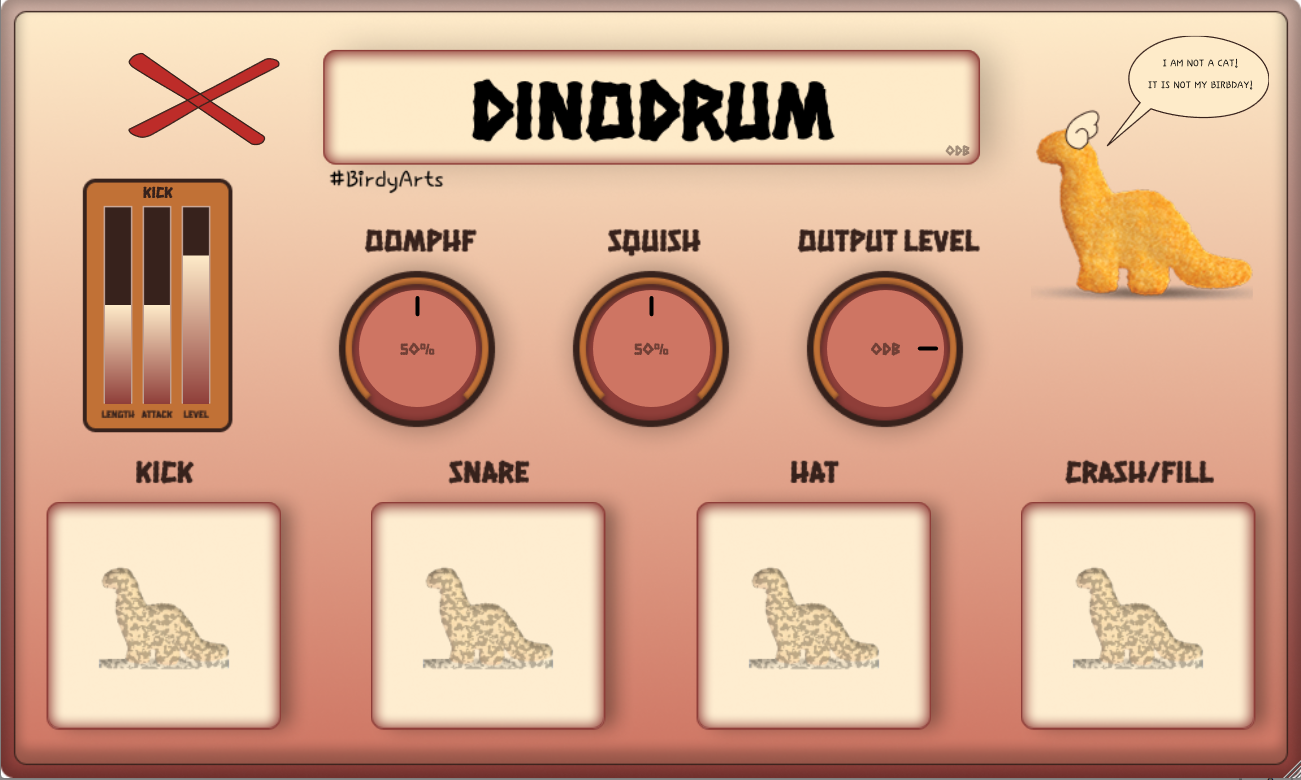
Five voices built from oscillators and noise — 808/909-hybrid kick with self-FM, three-layer snare, six-oscillator metallic hi-hat, sample-based crash, and toms for fills.
Parallel compression with dynamic EQ, plus an adaptive leveler with low-shelf boost. Glue and punch without a separate mix bus.
Pitch everything up 1.5x for fast, cartoon drum sounds. Separate parameter sets so you can dial both modes independently.
Tempo-synced to your DAW — crash on beat 1 plays a cymbal, off-beat triggers a randomized tom fill.
Six rotating voice clips on the label button. Hit it and the birb talks back.
A/S/D/F for kick/snare/hat/crash, Space for voice. Works standalone or as a plugin — VST3, VST, and Standalone on Windows 10+.
1. Run the .exe installer
2. SmartScreen may warn — click "More info" then "Run anyway"
3. VST3 installs to C:\Program Files\Common Files\VST3\HojPoj\
4. Rescan plugins in your DAW
1. Open the .dmg and read install.txt
2. Drag the .vst3 bundle to /Library/Audio/Plug-Ins/VST3/
3. Drag the .component to /Library/Audio/Plug-Ins/Components/
4. Follow the instructions in install.txt
5. Rescan plugins in your DAW
1. Extract the archive
2. Copy the .vst3 bundle to ~/.vst3/
3. Copy the .so to ~/.vst/ for VST2
4. Rescan plugins in your DAW